I want to start this year writing a personal post as I did in 2020. Not everything in life goes around digital marketing and making money. Lifestyle, travel and relaxing is also a very important part of the game if you want to keep in it for a long time.
For a long time, I was a tech enthusiast that just wanted to have the best performance without caring much about the rest. However, once my main focus became building businesses and assets I have shifted my priorities to new things as I expect a lot of people do when they grow.
2 years ago I realized I was about to be 30 years old and like any old fashioned young man, I started thinking about my achievements and what I wanted for my future.
Something I had always neglected was my health and exercise, and while I was still young, I know life changes and eventually, you end up harvesting the results.
So 2 of the things I decided I wanted to invest my time in was in doing exercise and eating healthier, but also I have been developing a passion for minimalist the last year or so.
So instead of having a supercomputer with 3 monitors, 5 speakers and dozens of cables I have been reducing my needs to a laptop and a second monitor for work.
This is how my workspace looks right now and as you can see it’s not super messy or full with papers and forgotten things like many people tend to have when they’re working:

My desk is still not at the minimalist point I would like it to be but it’s coming closer every month with small changes and tweaks I do every now and then.
If there’s another important thing you should care about when you’re a digital entrepreneur besides making money and having a healthy routine, it’s got to be your eyes.
Why?
I don’t even need to explain this. I’m sure you get it.
The real question is:
How many hours in front of the computer do you spend per day?
Oh yeah. Like many of you, I have work shifts of 8-14 hours per day depending on my needs, energy, and workload.
And because I want to protect my eyes I try to work with a huge monitor with clear images and proper lighting. However, lately, I wanted to invest in a proper computer desk lamp for my desk and I literally couldn’t find anything that I liked so I kind of forgot about it and I tend to work sometimes at night with no lights on.
BenQ Screenbar Plus e-Reading LED Lamp
But last month I found BenQ had a very interesting product. It’s called BenQ computer desk lamp ScreenBar Plus and it was designed to protect your eyes and illuminate your working area while avoiding reflections on the monitor, so I had to try it.
Did you see it already?
In fact, it’s up there in the first photo I showed you before.
But again, I needed a lamp that was kind of minimalist and modern, didn’t take so much space of my desk and at the same time, it should have some controls to dim it or change the temperature during the day. So most lamps were out of the question until I found this one:
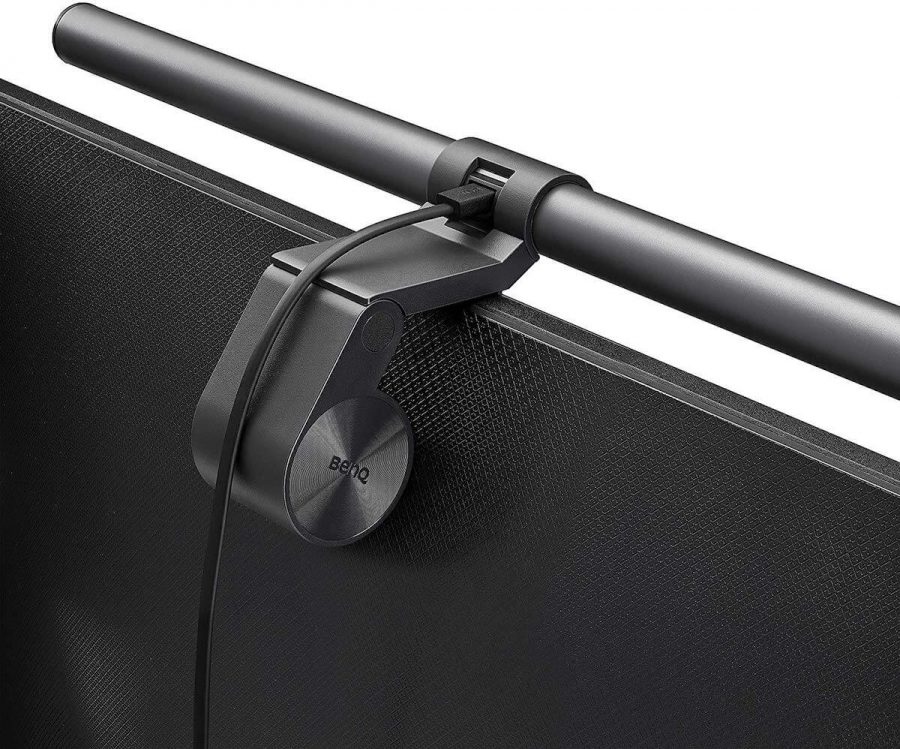
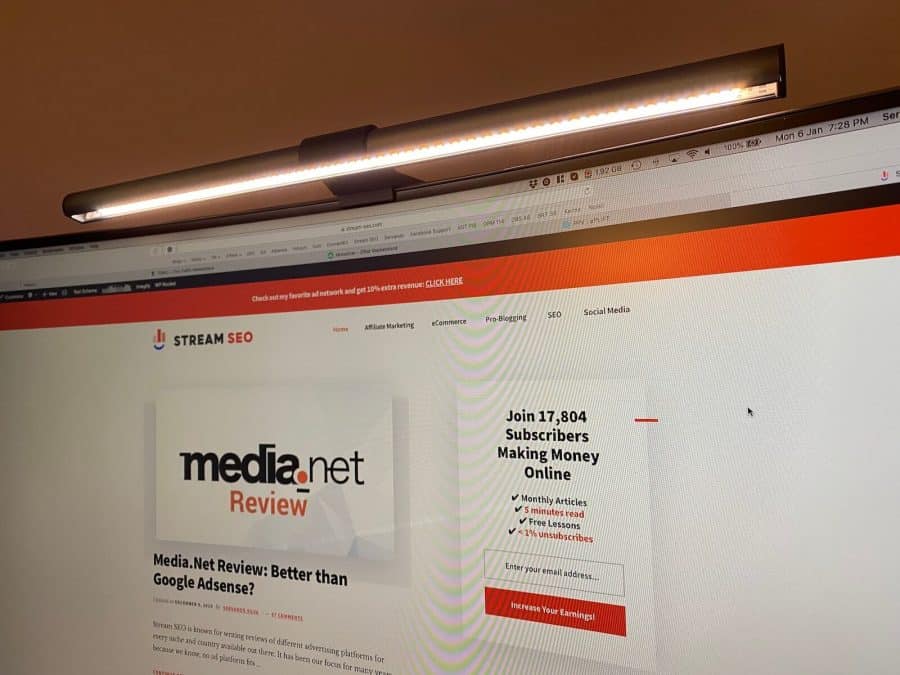
The BenQ Screenbar plus is a lamp that doesn’t need space from your desk and it doesn’t clamp to it either. Instead, it docks on the upper side of your monitor so it won’t take any space and it’s powered through a USB cable that can go straight to your computer or to any USB adapter as well.
This was the perfect solution as it blends with the monitor and it looks like you don’t have a lamp until you realize there’s a source of light coming out from your monitor.
This BenQ e-reading LED lamp has a nice angle that allows you to light up your whole working area, including your keyboard and everything in front of the monitor, but at the same time, it doesn’t project any light to your screen.
It’s probably difficult to explain it with a picture so I’ll use this image from BenQ’s website where they show how a typical lamp no matter where you have it will throw light everywhere including your monitor, and you don’t want that as it makes everything more difficult to read especially if you have a glossy screen instead of a mate one like the one I have.

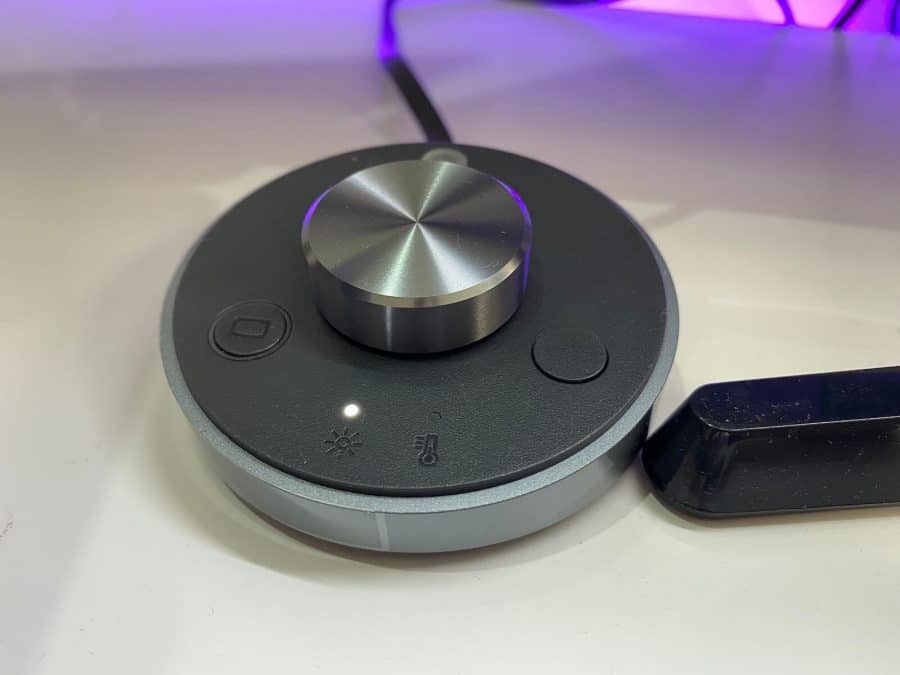
The Screenbar plus comes with a small hub to adjust brightness and light temperature from a range of 2700K to 6500K. Also, there’s a brightness sensor that auto-adjusts the light based on your surroundings when you click it and you can also turn the lamp on and off from there without relying on your USB power source.
In my case, I prefer cool light when I’m focused working (image on the left) and switch it to a warm light when I’m on chilling mode watching Youtube videos or just reading something at night (right image).


As you can see, I still have a few extra things to arrange to achieve the look and feel I want but it’s coming along nicely so far.
I also have other things to help reduce eye strain like the purple LED strip behind my desk and I use a laptop stand to raise my Macbook’s monitor to a more comfortable field of view. I also have been using a wireless mechanical keyboard for Mac the last couple of months and I love it.
My monitor is Samsung LED 32 inch curved display and it works perfectly fine with the BenQ Screenbar plus computer lamp, so don’t worry if you’re using a large or curved screen. While the lamp seems to have the size of a 27″ monitor it does the job well with larger products.
However, if you only work from your laptop there’s a different version with a smaller and lighter dock as this one won’t work for such thin screens. There’s also a clamp version of this lamp although you don’t get the benefit of having the light source straight from your screen while avoiding glare, so I definitely recommend this model instead and you can save some space in your desk at the same time.
Overall, I like investing in things that are used for work as they are useful and every little investment here and there eventually can yield interesting results when you use them 8-14 hours on a daily basis.
If you think this lifestyle/personal post was interesting please let me know in the comments below and I’ll try to fit more posts like in the schedule during this year.
Finally, please comment on how many hours do you sit in front of your computer per day! I want to know I’m not the only crazy guy in the room!
The post BenQ Screenbar – Protecting my eyes from work appeared first on Stream SEO.
from BenQ Screenbar – Protecting my eyes from work

No comments:
Post a Comment